

Where to play Chicken Road
- 01
 SlotsgemUp to €/$1,450 welcome bonusPlayReview
- 02
 Lucky StarUp to 500% welcome bonusPlayReview
- 03
 Mostbet350% + 410 free spinsPlayReview
The game itself remains the April 2024 InOut Games crash and arcade hybrid with 98% RTP, difficulty-dependent volatility and virtual demo availability. Changing from browser to casino app does not alter its random results, €20,000 per-round payout cap or account balance.
Play Chicken Road for real money18+ · Bonus terms apply · Check local law
Play Chicken RoadWhat “Chicken Road app” can mean
Three mobile routes are often described with the same phrase, although they are technically different.
| Route | What it is | Installation | Main check |
|---|---|---|---|
| Mobile website | Casino lobby opened in a browser | None | Correct casino domain and InOut Games listing |
| Home-screen shortcut | Icon that opens the casino webpage | No native game package | Saved address belongs to the intended casino |
| Casino application | Operator’s account, cashier and game lobby | Store app or verified operator package | Publisher corresponds to the casino |
None of these routes creates a separate version of Chicken Road. The casino application is a container for many titles rather than a dedicated game download.
Browser access is the simplest starting point
Open a casino that carries Chicken Road in a current phone browser, sign in and search the lobby for the exact title. The game card should identify InOut Games.
- Confirm that the casino can serve the actual country of residence.
- Navigate manually to the checked operator domain.
- Open the casino catalogue and search “Chicken Road”.
- Verify InOut Games in the information panel.
- Use the virtual demo first where the regional lobby offers it.
- Set account and session limits before any deposit.
Browser play avoids package permissions and leaves updates with the casino website. The Chicken Road demo guide explains what can be learned with virtual credits.
Adding a shortcut on Android
A home-screen shortcut gives app-like access without installing a separate package.
- Open the verified casino page in Chrome or another supported browser.
- Use the browser menu and choose the home-screen installation or shortcut option.
- Check the displayed address before confirming.
- Rename the shortcut clearly if the browser permits it.
- Open the icon once and confirm it returns to the same domain.
The icon does not store a casino balance locally. Removing it deletes the shortcut, not the account held by the operator.
Adding the casino to an iPhone home screen
Safari can create a direct icon for a checked mobile casino page.
- Open the intended casino domain in Safari.
- Sign in and navigate to the game or lobby page.
- Use the share menu and select the home-screen action.
- Review the name and URL.
- Confirm, then test the new icon.
This remains a web link rather than an iOS Chicken Road application. It needs the same network connection and casino account as ordinary Safari access.
Using a casino application on Android
Some operators distribute Android apps through an application store or their own checked website. Fresh Casino, Jet Casino and 1xBet are named mobile routes that may carry Chicken Road in eligible regions.
If the casino provides an APK, verify the domain, publisher instructions and requested permissions before installation. Android may ask for temporary permission to install from the browser or file manager used for the download.
- Keep security scanning enabled.
- Reject packages delivered through chat, forums or file mirrors.
- Remove the temporary unknown-app permission after installation.
- Do not grant contacts, text-message or accessibility access without a clear casino function.
- Follow only the operator’s stated update route.
The Fresh Casino, Jet Casino and 1xBet guides provide account-specific context. Application availability can differ by country even when browser play works.
Casino applications on iOS
Where an operator offers an iOS app, use the link published by the casino and compare the store publisher with the account company. Lucky Star and Gold Casino are named iPhone routes that may include the title regionally.
Do not install configuration profiles or device-management certificates from an unrelated page promising unrestricted game access. If no appropriate store app exists, Safari is a complete alternative.
Fake APK and predictor warning signs
Untrusted downloads often combine the game name with impossible promises.
| Claim | Why to reject it |
|---|---|
| “Modded Chicken Road with guaranteed wins” | A local package cannot change the casino’s server result |
| “Safe-tile predictor” | Previous routes do not reveal a future RNG outcome |
| “Unlimited maximum-win access” | The cash settlement is capped at €20,000 per round, not unlocked by a download |
| “No-KYC withdrawal app” | Casino identity and payment rules remain in force |
| “Mandatory wallet connection” | A game installer does not need a seed phrase |
Delete an uninstalled file if its identity or source is unclear. Never disable device protection simply to force a package to open.
Mobile interface and portrait play
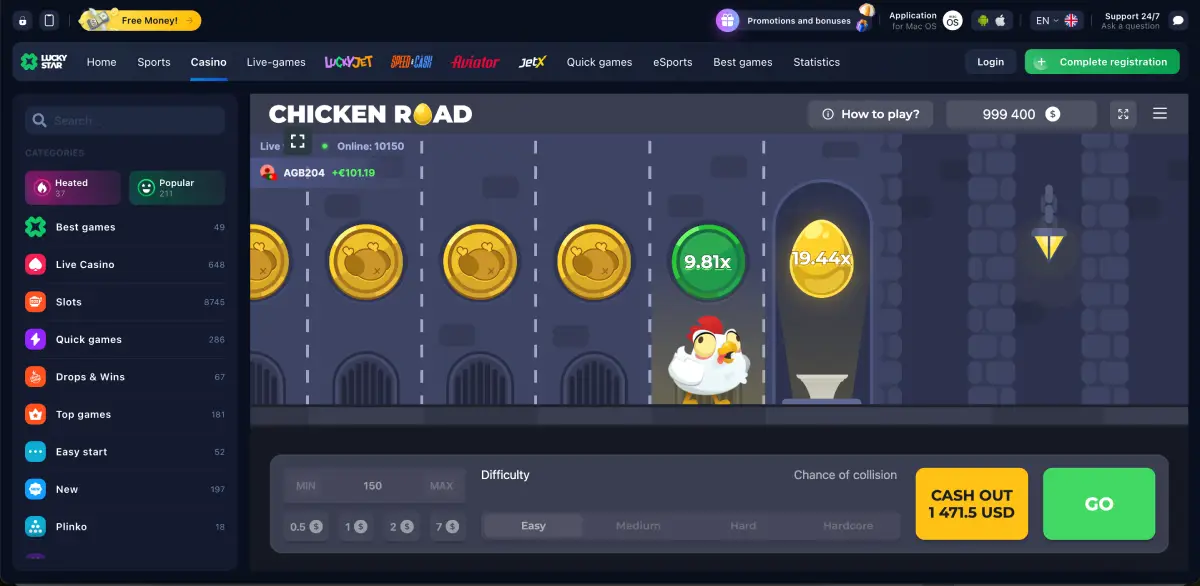
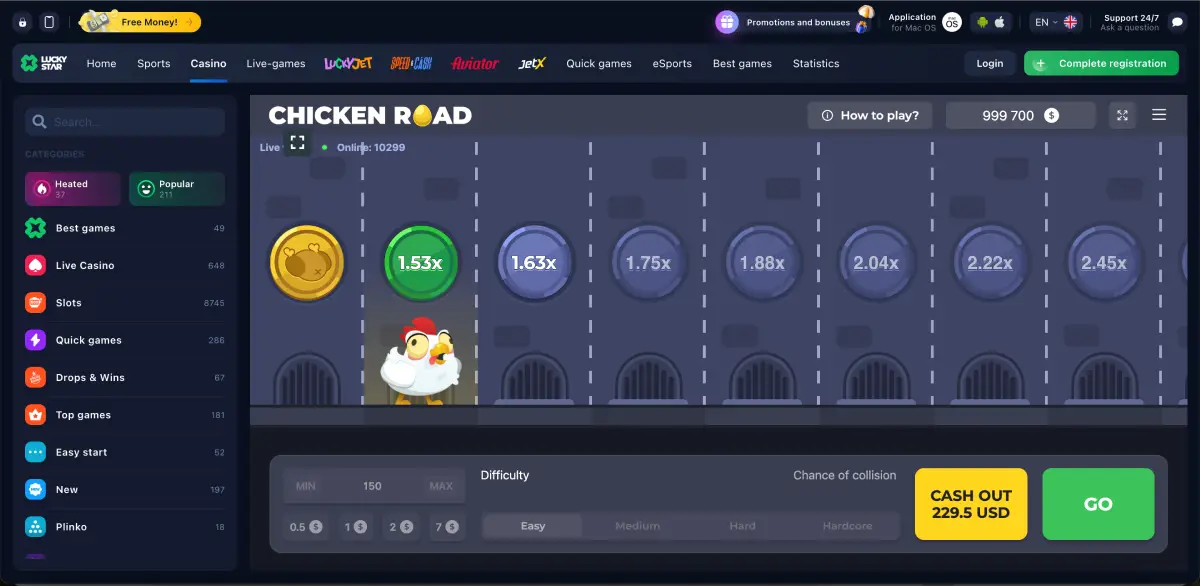
Chicken Road uses a responsive layout with stake, difficulty, multiplier, tile route and collection controls. Portrait orientation can make one-handed operation easier, although the surrounding casino header may reduce available space.
Adjust zoom and orientation before using cash. Interface settings do not change the 98% RTP or the probability of a fire trap.
Account continuity across devices
The balance, KYC status and game history belong to the casino account rather than the phone installation. Signing into the same operator on another device should retrieve the server-side account information.
An application does not transfer money between different casinos. A Fresh balance, for example, remains separate from an account at Jet Casino or 1xBet.
Never share a password or one-time code with someone offering to “sync” Chicken Road. Legitimate account recovery uses the casino’s authenticated process.
Connection interruption and round history
If a route freezes, do not immediately start another stake. Reconnect through the same casino, open game history and locate the stored result.
- Wait for the displayed balance to update.
- Find the InOut Games round reference.
- Compare its stake and outcome with the balance movement.
- Send that reference to casino support if a mismatch remains.
The server record decides the account result even when the final tile animation was not shown locally.
Mobile access checklist
Use this sequence before installing or funding anything.
- The casino is permitted for the account’s actual location.
- The domain or store publisher belongs to the intended operator.
- InOut Games is named on the Chicken Road card.
- An owned withdrawal method is available.
- Application permissions match sensible casino functions.
- Loss, time and deposit limits are configured.
If any item fails, remain in the browser or skip the operator rather than searching for a mirror or bypass.
Browser or casino app: choosing between them
The browser route is preferable when storage is limited, software permissions are unwanted or the operator does not publish a regional application. It receives lobby updates directly and can be removed from the home screen without altering the account.
A casino app may be useful when the same operator’s cashier, account limits and game favourites are used frequently. Its convenience should be balanced against installation source, permissions, update method and notification settings.
| Priority | Better starting route |
|---|---|
| No installation | Mobile browser |
| Minimal permissions | Mobile browser or home-screen shortcut |
| Integrated operator lobby | Verified casino application |
| Unclear package source | Browser only |
| Shared device | Browser with careful sign-out and no saved credentials |
Neither route is mathematically superior. The suitable choice is the one that preserves device security and makes account controls easy to reach.
Responsible mobile gambling
Convenient access can make sessions easier to start and harder to notice. Cash play is limited to adults aged 18 or over and may cause monetary or emotional harm. Disable promotional notifications, set an external time alarm and never borrow or chase a lost route. The responsible gambling guide explains blocking and exclusion tools; BeGambleAware provides independent support information.
Chicken Road app FAQ
These answers distinguish browser access, shortcuts, casino applications and unsafe downloads.
Is there a standalone Chicken Road app?
No. The InOut Games title is accessed through a casino website or the casino’s own application.
Can Chicken Road run on Android without an APK?
Yes. A current mobile browser can open the game in a participating casino lobby.
How can iPhone users add quick access?
Safari can save the verified casino page as a home-screen shortcut without installing a native game package.
Is a casino APK safe?
Only consider a package distributed through the operator’s checked domain, keep device scanning active and reject unrelated permissions.
Can a predictor app find safe tiles?
No. Local software and previous routes cannot foresee the next random game outcome.
Does the app change Chicken Road RTP?
No. Browser and casino-app access do not alter the original game’s 98% theoretical return.
What happens to the balance after uninstalling?
The balance remains with the casino account. Sign in to the same operator through a verified route.
Which casino apps may carry the game?
Named routes include Fresh, Jet, 1xBet, Lucky Star and Gold Casino, with availability varying by region.
Note. Chicken Road results come from a certified random number generator. No strategy, predictor or signal can tell where the next trap is. Play only with money you can afford to lose. 18+.